Supabase vs Firebase vs Appwrite vs Neon: Which Backend to Choose in 2026 (Cloud and Self-Hosted)
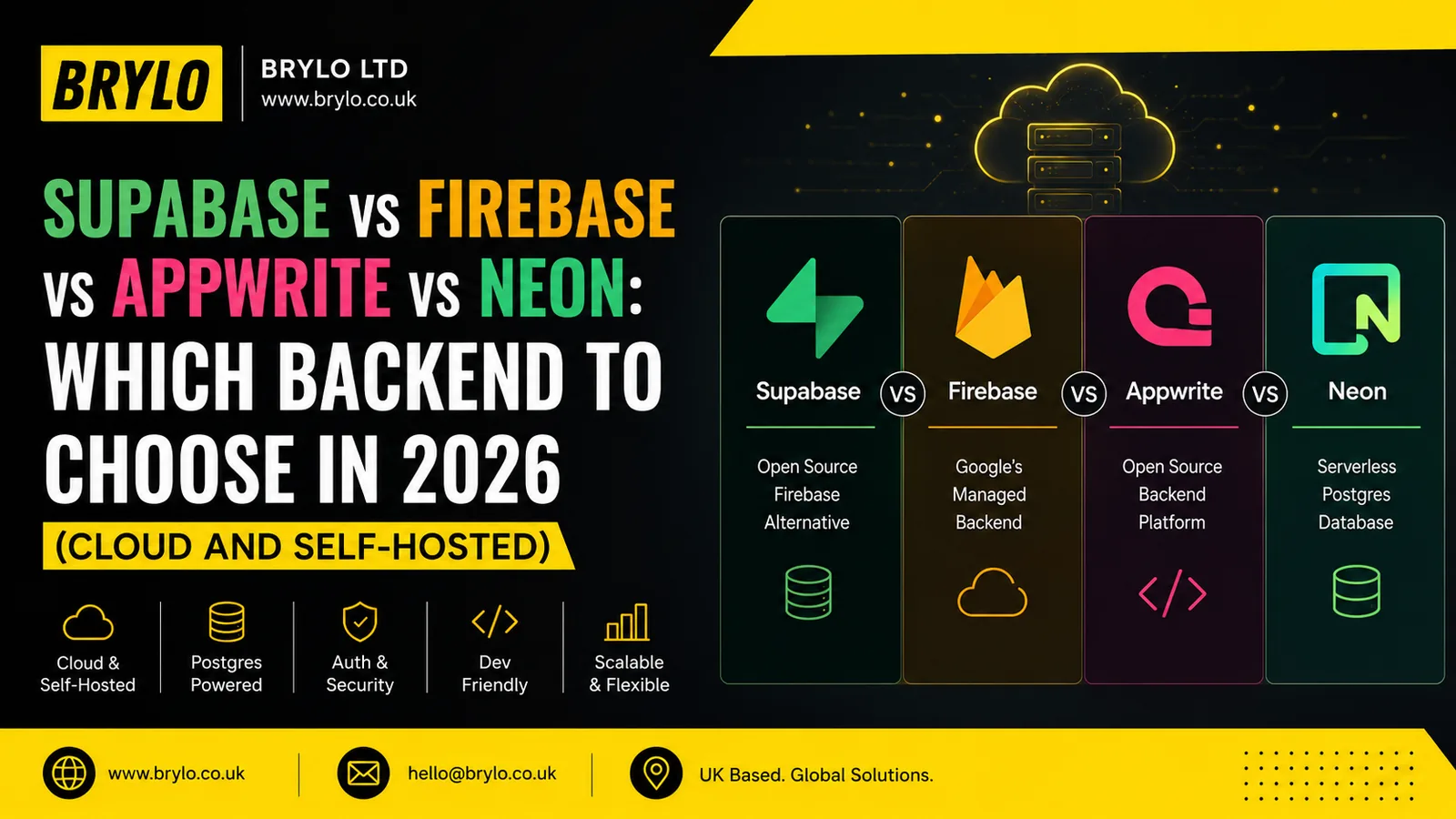
If you want the short version: Supabase is the best all-round choice for most web apps, because you get a full Postgres backend with auth, storage and realtime in one place. Firebase wins for mobile apps that need instant realtime sync and Google’s ecosystem. Neon is the cheapest way to run many small or idle databases, because it scales to zero. Appwrite and self-hosted Supabase are for teams that want full control of their data and can run the servers. This guide compares all five on features, pricing, security and speed, then says plainly who should pick what.
The five options, in one line each
Before the detail, here is what each one actually is. They get lumped together as “Firebase alternatives,” but they are not the same kind of thing.
- Supabase Cloud is a managed backend built on PostgreSQL. One project gives you a real SQL database, authentication, file storage, realtime, and auto-generated APIs.
- Supabase self-hosted is the same open-source stack, run on your own server instead of Supabase’s. Same features, your infrastructure, your responsibility.
- Firebase is Google’s managed backend built on a NoSQL document database (Firestore), with excellent authentication and realtime sync, especially for mobile.
- Appwrite is an open-source backend platform with auth, databases, storage and functions, available as a managed cloud or self-hosted with Docker.
- Neon is serverless PostgreSQL. It is the database only, with no built-in auth or storage, but it scales to zero and is very cheap to run idle.

The quickest way to split them: Supabase, Neon and self-hosted Supabase are SQL (Postgres). Firebase is NoSQL. Appwrite sits in the middle as a full backend-as-a-service you can own. That single choice, SQL or NoSQL, shapes almost everything else.
Feature comparison at a glance
Here is how the five line up on the things that usually decide a build.
| Supabase Cloud | Supabase self-host | Firebase | Appwrite | Neon | |
|---|---|---|---|---|---|
| Database | PostgreSQL | PostgreSQL | Firestore (NoSQL) | MariaDB-backed | PostgreSQL |
| Built-in auth | Yes | Yes | Yes (excellent) | Yes | No |
| Storage | Yes | Yes | Yes | Yes | No |
| Realtime | Yes | Yes | Yes (best for mobile) | Yes | No |
| Functions | Edge Functions | Edge Functions | Cloud Functions | Yes | No |
| Open source | Yes | Yes | No | Yes | Partly |
| Self-hostable | Yes | Yes | No | Yes | No |
| Scales to zero | No (paid) | N/A | Partly | No | Yes |
| You manage servers | No | Yes | No | Cloud: no · Self: yes | No |
The pattern to notice: Supabase and Appwrite give you the whole backend and can be self-hosted. Firebase gives you the whole backend but only as Google’s managed service. Neon gives you just the database, and expects you to bring your own auth and storage. That is not a weakness, it is a different job.
What does each one actually cost in 2026?
This is where the platforms diverge most, and where teams get surprised. The three pricing models could not be more different.
- Supabase charges a flat $25/month per organisation on the Pro plan, which includes $10 of compute credit. The catch is that each project runs an always-on database instance (around $10/month for the smallest “Micro” size), so running several projects adds up fast. Supabase does not scale to zero on paid plans.
- Firebase uses the Blaze pay-as-you-go plan: you pay per database read, write and delete. A quiet app costs almost nothing. A viral one, or a bad query loop, can produce a bill that stings. There is a free Spark tier to start.
- Appwrite charges a flat ~$15/month for its Pro cloud plan, with a genuinely generous free tier (5 GB bandwidth, 2 GB storage, 750K function executions, 75K monthly active users). Predictable, per-organisation pricing.
- Neon bills pure usage: compute by the CU-hour plus storage, and it scales to zero when idle. Its free tier gives 100 compute-hours per project across up to 100 projects, so idle databases cost close to nothing.
- Self-hosting Supabase or Appwrite costs whatever your server costs. A small VPS on Hetzner or Hostinger runs €5 to €10/month and can host several projects, with no per-project fee at all.
Here is roughly what it looks like to run five small, low-traffic projects on each. These are illustrative figures based on 2026 list pricing, but the shape is the point.
This chart is basically the story of a bill we reviewed recently: a client running six Supabase projects, each billing always-on compute, when most of them sat idle. Supabase is superb value for an active product. For a pile of dormant side projects, a scale-to-zero option like Neon, or self-hosting, is far cheaper. Match the pricing model to how the project actually runs.
Why is Postgres-based backend winning right now?
Because the market is voting for it with real money, and the numbers in 2026 are hard to ignore. Supabase raised a round that valued it at $10.5 billion in June 2026, up from a $5 billion valuation just eight months earlier.
The usage numbers explain why. Supabase reports around 10 million developers, more than 250,000 customers, and over one million databases under management, with roughly 2,500 new databases created every day. Most striking for 2026: the company says more than 60% of new databases are now created by AI tools rather than by hand, as “vibe coding” pushes people to spin up a Postgres backend in seconds.
Neon rode the same wave from the infrastructure side. Databricks acquired Neon in 2025 in a deal reported at around $1 billion, betting that AI agents, not humans, will create most future databases, and that scale-to-zero Postgres is the right shape for that. Firebase, meanwhile, remains enormous through Google’s reach, and Appwrite has grown into one of the most-starred open-source backends on GitHub, with over 50,000 stars. The whole category is expanding, which is good news: more competition, lower prices, better free tiers.
How do they compare on security and compliance?
All the managed options are genuinely secure, and the differences are about control and certification rather than one being unsafe.
| Platform | Certifications | Data control | Notes |
|---|---|---|---|
| Supabase Cloud | SOC 2 Type II, HIPAA available | Supabase-managed, region choice | Postgres Row Level Security is a real strength |
| Supabase self-host | Depends on your setup | Fully yours | You own hardening, patching, backups |
| Firebase | ISO 27001, SOC 1/2/3 | Google-managed | Strong, but no self-host and Google-only |
| Appwrite | GDPR, HIPAA, PCI (self and cloud) | Cloud or fully yours | Built-in WAF and DDoS protection |
| Neon | SOC 2 | Neon-managed | Database-layer security; auth is your job |
Two honest points. First, Supabase leans on PostgreSQL Row Level Security, which lets you enforce access rules inside the database itself, and that is a genuine security advantage when it is set up properly. Second, self-hosting does not automatically make you more secure. It makes you responsible. If your team hardens servers, applies updates and tests backups, self-hosting can meet strict data-residency rules. If it does not, a managed platform with SOC 2 behind it is safer. For a regulated build, we usually reach for Supabase with its compliance options, or a carefully run self-hosted setup, and we design it to be UK GDPR-aware from the start.
Which is fastest?
For everyday web apps, all five are fast enough that the database is rarely your bottleneck. The differences show up at the edges.
- Supabase Cloud runs a dedicated, always-warm Postgres instance, so there is no cold start. Supabase’s own published benchmarks claim it reads up to 4x faster and writes up to 3.1x faster than Firebase, which is a vendor benchmark and worth reading as such, but Postgres does handle complex relational queries well.
- Neon matches that speed when warm, with one trade-off: because it scales to zero, the first query after an idle period waits for the compute to resume, typically in under 500 milliseconds. For a low-traffic site that is invisible. Under steady traffic it stays warm.
- Firebase is built for fast realtime sync and global reads, which is exactly why mobile teams love it. Complex relational queries are where NoSQL fights you.
- Appwrite and self-hosted Supabase are as fast as the hardware you put them on, and as fast as your ops. A well-provisioned VPS is quick; an overloaded one is not.
The practical takeaway: raw speed rarely decides this. Data model and cost usually do.
Supabase Cloud vs self-hosted: which should you run?
Since Supabase is open source, you can run the entire stack yourself, and clients often ask whether they should. The honest answer is that most should not, but some genuinely should.
Choose Supabase Cloud when you want to ship, not operate. You get automatic backups, updates, monitoring, scaling and SOC 2 compliance, and you never get paged at 2am because Postgres ran out of disk. For almost every startup and small business, the $25/month plus compute is cheaper than the engineering time self-hosting eats.
Choose self-hosted Supabase when one of these is true: you have strict data-residency rules that require the database on specific infrastructure; you are running many projects and the per-project compute fee has grown painful; or you have real DevOps capacity and want to remove the ongoing platform bill. The saving is real, but so is the work. You now own backups, security patches, uptime and upgrades.
| Supabase Cloud | Supabase self-hosted | |
|---|---|---|
| Setup | Minutes | Hours, plus Docker and config |
| Backups & updates | Automatic | Your job |
| Compliance | SOC 2, HIPAA available | You build and prove it |
| Cost | $25/mo + per-project compute | Server cost only (~$5–20/mo) |
| Best for | Shipping fast, small teams | Data residency, many projects, DevOps teams |
We took the “own less, ship more” path to an extreme on one recent build, removing the database entirely for a static site with booking run through Google Calendar. You can read how and why in our Flamingo Medical & Wellness case study. Not every project needs a database at all, which is the cheapest backend of them all.
What about PocketBase, Convex and the others?
The four platforms above cover most builds, but a few others are worth knowing when the fit is unusual.
- PocketBase ships as a single Go binary with SQLite, auth, realtime, file storage and an admin dashboard built in. It is wonderful for small and medium projects and almost free to self-host, since it runs from one file on a tiny VPS. The limit is that SQLite is single-node, so it is not built for very high concurrency.
- Convex is a reactive backend for TypeScript teams. It replaces SQL with a live data model where your interface updates automatically when data changes, which makes collaborative and realtime apps a pleasure to build, at the cost of learning a different model.
- PlanetScale is serverless MySQL built on Vitess for very large scale, with Postgres now available too and excellent database branching. It has no built-in auth and dropped its free tier in 2024, so it suits scale-heavy production apps rather than weekend projects.
- AWS (Amplify, or RDS with Cognito) gives you the most power and control of anything here, along with the most complexity. It is the right answer when you already run on AWS and have the team for it, and overkill when you do not.
None of these change the headline advice. They widen the menu when a project has a specific shape: a single-file self-host, a realtime-first app, extreme scale, or an existing cloud commitment.
Who should choose what?
Here is the plain version, by the kind of project you are building.
| Your project | Best pick | Why |
|---|---|---|
| Web app or SaaS MVP | Supabase Cloud | Full Postgres backend, auth and storage in one, ship in days |
| Mobile app with live sync | Firebase | Best realtime, offline support and mobile SDKs |
| Many small or idle projects | Neon | Scales to zero, so idle databases cost almost nothing |
| Full data control or open source | Appwrite or self-hosted Supabase | Own the whole stack, on your infrastructure |
| Regulated or data-residency needs | Supabase (HIPAA) or self-hosted | Compliance options or full control of where data lives |
| Just need a fast SQL database | Neon | Serverless Postgres, add your own auth via Clerk or Auth.js |
A few honest nudges on top of the table. If you are unsure, Supabase Cloud is the safe default in 2026, because you get the most backend for the least work and you are not locked into a NoSQL model you might regret. Pick Firebase when the app is mobile-first and realtime is the core feature, not a nice-to-have. Reach for Neon the moment cost matters more than having auth included, especially across many projects. And choose self-hosting or Appwrite when control of the data is a business requirement, not a preference, and you have someone to run it.
How we choose backends at Brylo
We start from the project, not the platform. The questions we actually ask a client are simple: how much data will move, does it need complex relationships, does it need realtime, and how much will it cost to run when nobody is using it? The answers usually point at one option without much debate.
Most of our web and app builds land on Postgres, either Supabase Cloud for speed of delivery or Neon when a project will spend a lot of time idle. We reach for Firebase when a client is mobile-first and realtime is central. And we are just as happy to tell a client they need no database at all, or to self-host to control costs, when that is the honest answer. If you are weighing this up for a build, our app development and AI and automation work is where we make these calls every week, and we wrote more about matching technology to the actual problem in our guide to solving business problems with software.
Frequently asked questions
Is Supabase better than Firebase? For most web applications, yes, because it gives you a real SQL database with relationships, plus auth, storage and realtime, and it is open source so you can self-host or move. Firebase is better when you are building a mobile-first app where realtime sync and offline support are the core feature. The deciding factor is usually SQL versus NoSQL: Supabase for structured, relational data, Firebase for document-style data that syncs live to phones.
Which backend is cheapest? For idle or low-traffic projects, Neon or self-hosting, because Neon scales to zero and self-hosting has no per-project fee. For a busy, active product, Supabase’s flat $25/month plus compute is very good value and predictable. Firebase can be cheapest at tiny scale and surprisingly expensive at high read volume, because it bills per operation. Match the pricing model to how the app runs, not to the sticker price.
Should I self-host Supabase or use the cloud? Use the cloud unless you have a specific reason not to. Supabase Cloud handles backups, updates, scaling and SOC 2 compliance for $25/month plus compute, which is cheaper than the engineering time self-hosting consumes. Self-host when you have strict data-residency rules, when you are running many projects and the per-project compute has become expensive, or when you have real DevOps capacity and want to remove the platform bill.
Is Neon a full Firebase alternative? No, and that is by design. Neon is serverless PostgreSQL, the database only, with no built-in authentication, storage or realtime. You pair it with an auth provider such as Clerk or Auth.js and add storage separately. That makes it a great choice when you want a cheap, fast, scale-to-zero SQL database and are happy to assemble the rest, but it is not an all-in-one platform the way Supabase, Firebase and Appwrite are.
Is Appwrite a good alternative to Firebase? Yes, particularly if you want an open-source, self-hostable platform with a similar all-in-one feel. Appwrite gives you auth, databases, storage and functions, with a generous free tier and GDPR, HIPAA and PCI compliance across both its cloud and self-hosted versions. The main trade-off versus Firebase is a smaller ecosystem and fewer native mobile conveniences, in exchange for control of your data and predictable per-organisation pricing.
Can I migrate from Firebase to Supabase later? You can, but it is real work, mostly because you are moving from NoSQL to SQL, which means redesigning your data model, and rebuilding authentication and security rules. Migrating between two SQL platforms, say Supabase and Neon, is much easier because both are Postgres. This is exactly why the SQL-versus-NoSQL choice matters so much at the start: it is the decision that is most expensive to reverse.
Which is the most secure? The managed options are all strong: Supabase and Neon hold SOC 2, Firebase holds ISO 27001 and SOC certifications, and Appwrite supports GDPR, HIPAA and PCI. Supabase’s PostgreSQL Row Level Security is a genuine advantage for enforcing access rules inside the database. Self-hosting can be the most secure of all for data residency, but only if your team actually hardens, patches and backs up the servers. Otherwise a certified managed platform is the safer bet.
About the author
Dharmendra Asimi is the Chief Technology Officer of Brylo, a UK web, app and AI studio, where he leads technology and design. He has spent close to two decades building websites, web applications and digital products, from WordPress and ecommerce estates to modern static and Next.js builds, for businesses across the UK, US and India.
At Brylo he works directly on client projects, choosing the architecture, writing the code, and making sure each build is fast, secure and sensibly priced to run. His focus is the engineering that quietly decides whether a system earns its keep: the right database for the data, sensible automation, a small and defensible attack surface, and software people actually use.
Areas of expertise: custom software and web application development · backend and database architecture · business process automation · AI and workflow integration · cloud and serverless infrastructure · technical SEO · Generative Engine Optimization (GEO) · UK GDPR-aware design.
Connect: LinkedIn · X · Instagram · Brylo · Get in touch
If a figure in this article looks out of date next time you read it, tell us and we will verify and update it.
Not sure which backend fits your project? That decision is cheaper to get right at the start than to fix later. Tell us what you are building at Brylo, or see how we work across app development and AI and automation.